Timesheet Generator
Log working hours, breaks and overtime, and download a clean timesheet PDF ready for approval. Hours and pay are calculated for you.
- Free, no watermark
- No sign-up
- Stays on your device
How to create a timesheet
- 1
Add employee details
Enter the employee, company and supervisor, and choose the pay period.
- 2
Log the hours
Enter start and end times with breaks, or simply the hours worked each day.
- 3
Approve and download
Add an hourly rate for pay, include signature lines and download the PDF.
What a timesheet should include
Accurate timesheets make payroll and client billing simple. Include:
- Employee and employer
- Who did the work and for which company or client.
- Pay period
- The exact start and end dates covered by the timesheet.
- Daily entries
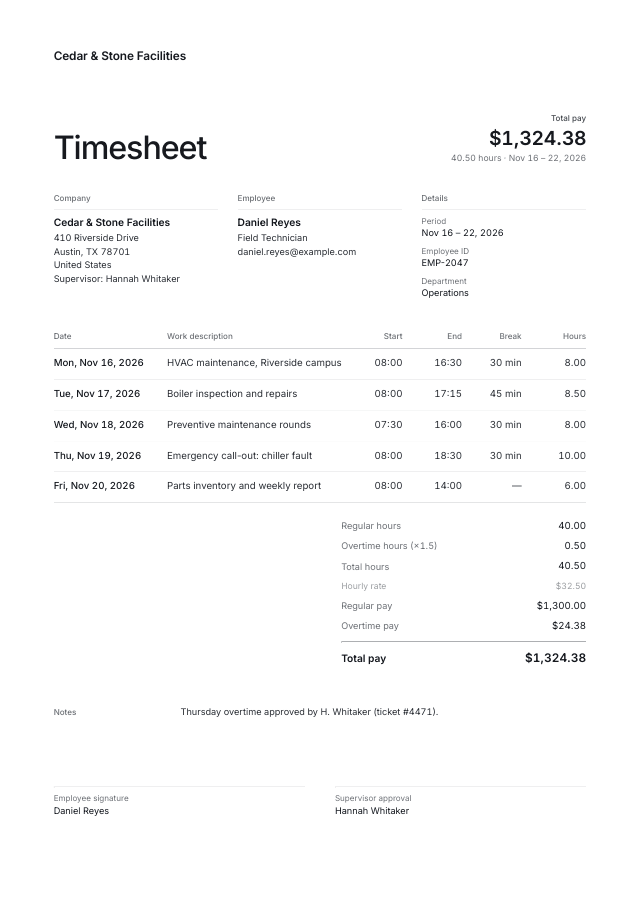
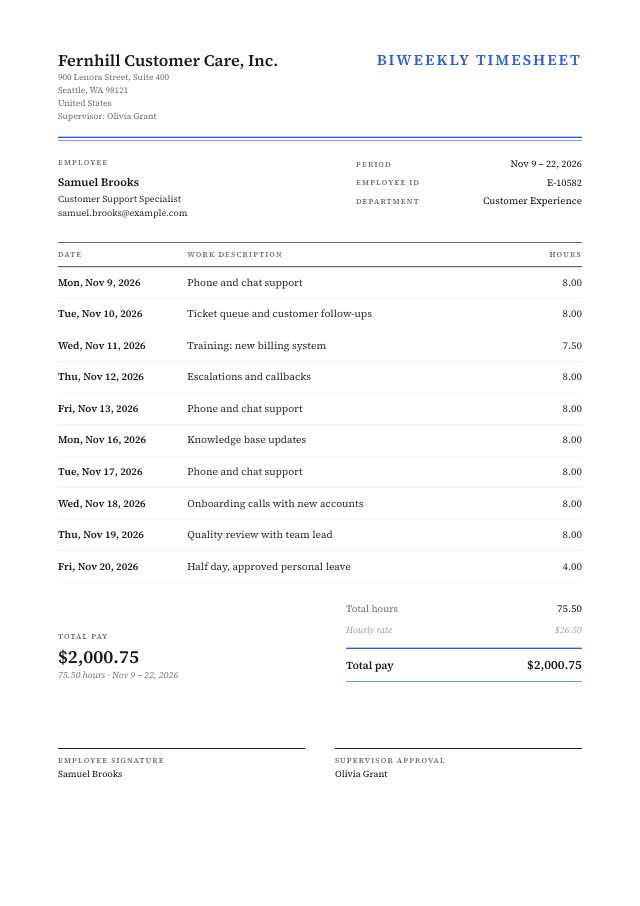
- Date, start and end times, breaks and hours worked.
- Totals
- Total hours, with regular and overtime hours separated.
- Pay calculation
- Hourly rate, overtime multiplier and total pay, if relevant.
- Approval
- Signature lines for the employee and supervisor.
Timesheet templates
Start from a ready-made design and make it yours.
Questions & answers
Everything you need to know about the timesheet generator.